Clair - https://github.com/quay/clair
Anchore - https://github.com/anchore/anchore-engine
Dagda - https://github.com/eliasgranderubio/dagda
推荐使用 CoreOS Clair
AWS ECR 使用这种开源的Scan Tools。
不推荐 Anchore
安装 anchore engine
https://docs.anchore.com/current/docs/engine/engine_installation/docker_compose/
安装 anchore-cli
https://docs.anchore.com/current/docs/installation/anchore_cli/
python3 -m pip install --user --upgrade anchorecli
配置 anchore-cli
在家目录中设置此文件内容 $HOME/.anchore/credentials.yaml
default:
    ANCHORE_CLI_USER: 'admin'
    ANCHORE_CLI_PASS: 'foobar'
    ANCHORE_CLI_URL: 'http://localhost:8228/v1'
测试 anchore-cli
# anchore-cli system status
# anchore-cli system feeds list
https://docs.anchore.com/current/docs/using/cli_usage/images/
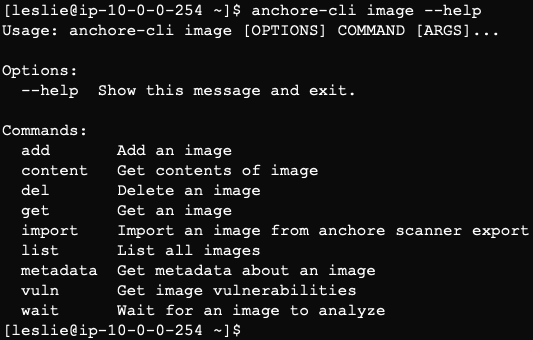
删除 image 之前需要取消订阅
# anchore-cli subscription deactivate --help
# anchore-cli subscription list
# anchore-cli subscription deactivate vuln_update docker.io/qikang451/test_image_scan:php_7.2-fpm-buster_20200323.1
# anchore-cli subscription deactivate policy_eval docker.io/qikang451/test_image_scan:php_7.2-fpm-buster_20200323.1
# anchore-cli subscription deactivate tag_update docker.io/qikang451/test_image_scan:php_7.2-fpm-buster_20200323.1
# anchore-cli subscription deactivate analysis_update docker.io/qikang451/test_image_scan:php_7.2-fpm-buster_20200323.1
删除 image
# anchore-cli image  list
# anchore-cli image del sha256:1282f6f53877c769a5deac2ae1bc24f4d1ecfb4155053ce1e869223a0660fe53